
If you are experiencing issues logging in with UBYS, there may be two reasons: you may not have created an account in the password system, or you may remember your password incorrectly. You can check the password system to resolve all these issues.
Go to Password ServiceEducation Portal Selection Guide
Find Your Education Portal - Don't Miss Your Classes
Follow the steps to reach the correct system according to your student type and course type.
Student Type Selection
Please select your student type.
Distance Education Student - Moodle Login Guide
UZEM Programs Education Portal Login Steps
You can log in to the education portal by following the steps below.
-
Open Your Web Browser
Use a modern web browser such as Chrome, Firefox, Safari, or Edge.
Tip: Chrome or Firefox is recommended for best performance.
-
Go to the UZEM Education Portal Address
Type the following address in the address bar:
https://portal.uzem.omu.edu.trRemember to bookmark this address!
-
Prepare Your Login Information
Log in with your OMÜ UBYS System Credentials
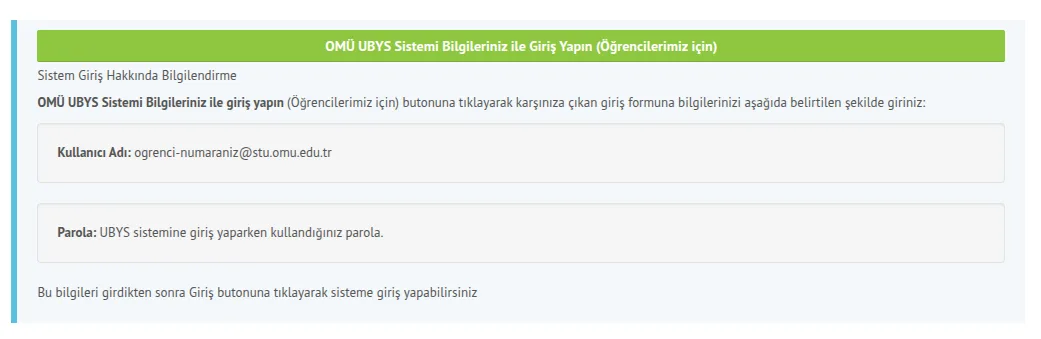
Username: Your student number (e.g., 20250000)
Password: First 6 digits of your Turkish ID Number and first 3 uppercase letters of your name (e.g., 123456ABC)
Important: We recommend logging in using the OMÜ UBYS system.
-
Login Issues
If you experience issues while logging in, please check the following:
- You must be a student enrolled in UZEM programs.
- You must have completed your course registration via the UBYS system.
- Your course registration must be approved by your advisor.
- System access hours on the day your course registration is approved:
- Approved before noon → You can log in after 13:00
- Approved in the afternoon → You can log in after 19:00
-
Congratulations! You Have Successfully Logged In
You can now access your courses and join live sessions.
Next Step: You can view your enrolled courses by going to "My Courses" from the top menu. You can view your live sessions via the calendar on the control panel.
Common Courses Student - E-Courses Education Portal Login Guide
For formal education students who will take common courses via distance education. These courses are Principles of Atatürk and History of Turkish Revolution, Turkish Language, English, and Occupational Health and Safety (5i courses).
E-Courses Portal Login Information
-
Open Your Web Browser
Use a modern web browser such as Chrome, Firefox, Safari, or Edge.
Tip: Chrome or Firefox is recommended for best performance.
-
Go to the E-Courses Education Portal Address
Type the following address in the address bar:
Remember to bookmark this address!
-
Prepare Your Login Information
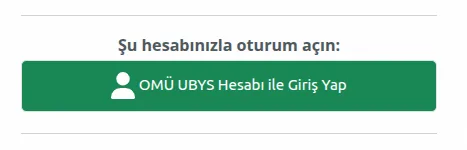
Log in with your OMÜ UBYS System Credentials
-
Congratulations! You Have Successfully Logged In
You can now access your courses.
Next Step: You can access the content by selecting your enrolled common courses from the course list.
Login Issues